Introduction
WordPress is the most popular blogging/content management system available on the web. It’s also free and open source, so the community behind WordPress is massive. You can find plugins, themes, and templates for just about any use case. Stack Harbor offer turnkey deployment of a WordPress stack that you can get up and running in just a few minutes.
Accessing your WordPress Installation
Once your Stack has been built, you need to finish configuring your WordPress application. Point your browser to your IP address, where you’ll be prompted by apache for access credentials. We’ve protected the administrative portion of your site with a password that you’ll be able to find upon SSHing into your Stack.
ssh root@your_ip_address
Once you’ve logged in, you’ll see all necessary credentials such as apache password, WordPress SQL password, and root SQL password. Use the apache credentials to authenticate via the browser and you’ll be prompted with the famous WordPress initial configuration site.
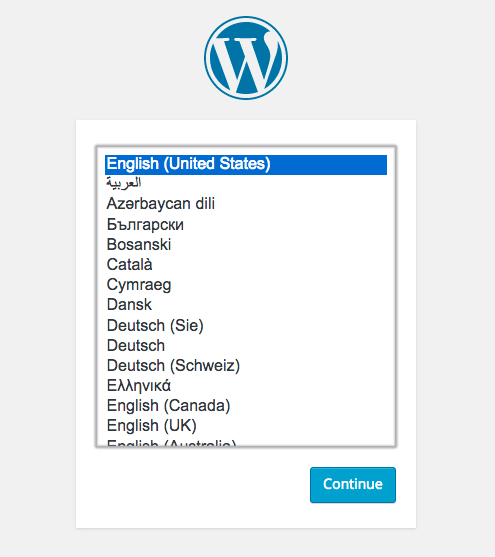
Fill in all the required details and proceed. You’ll be asked to confirm your information in the second step. Finally, you’ll be prompted for the credentials you just created. Enter these into the form and you’ll be presented with the WordPress administrative dashboard.
Additional Configuration
If you’ve pointed your domain to your Stack’s IP address, you should alter the WordPress configuration to reflect this. Login to your administrative dashboard and click on the settings icon located at the bottom right. You’ll see two fields labelled “WordPress Address (URL)” and “Site Address (URL)”. Change these both to the domain you’ve pointed at your Stack and click “Save Changes” at the bottom of the page. WordPress will make the necessary changes in the database so that all links to existing content will be referenced by the domain you’ve entered.
Final Words
Congratulations! You now have a working installation of WordPress on your Stack. You can get started blogging, installing/developing plugins, and customizing themes. For more information about WordPress, check our their documentation. From all of us at Stack Harbor, happy blogging!